Side project · In progress
blueprint
A Claude Code plugin for larger changes. It grills your solution, writes it up as a spec change in your notes tool, builds it and keeps specs and code in sync.
- When
- 2026
- Stack
blueprint is how I work on larger, architected changes with agents. It sits between wayfinder and OpenSpec: you bring the solution, and it grills that solution in a few short rounds instead of hunting for alternatives. Then it writes the change up where your team already keeps docs, builds it task by task, and keeps the specs and the code in sync. It lives in my skills repo with the other Claude Code skills I use daily.
A showcase of the blueprint skill in Claude Code and Notion, from a review to the drift check on a pull request.
How it works
/blueprint-setuplooks at where you already track projects and tickets, picks where specs and blueprints live, and maps the repo’s capabilities to code./blueprint <your solution>plays it back, sketches it, grills it, and writes a blueprint as two linked documents: a plain-text brief for agents (decisions, spec delta, tasks) and a visual review for people./blueprint applybuilds it task by task, checks each requirement against the code, then folds the change into the capability specs./blueprint-driftand/blueprint-synccatch the two ways specs and code drift apart: the code strayed from the spec, or the spec fell behind the code.
Views
Most of blueprint runs in chat, but a few things are easier to look at than to read about.
A pane in Claude Code (/blueprint-ui), in the desktop app and the terminal. It opens on a board: which
capabilities need a drift check or a sync and which changes are open, each with a ▶ button for the next step.
Reviews, briefs and specs open in the same pane, read from wherever they live. Comment on a line or suggest a change,
and the batch goes back to /blueprint to fold into the next revision.
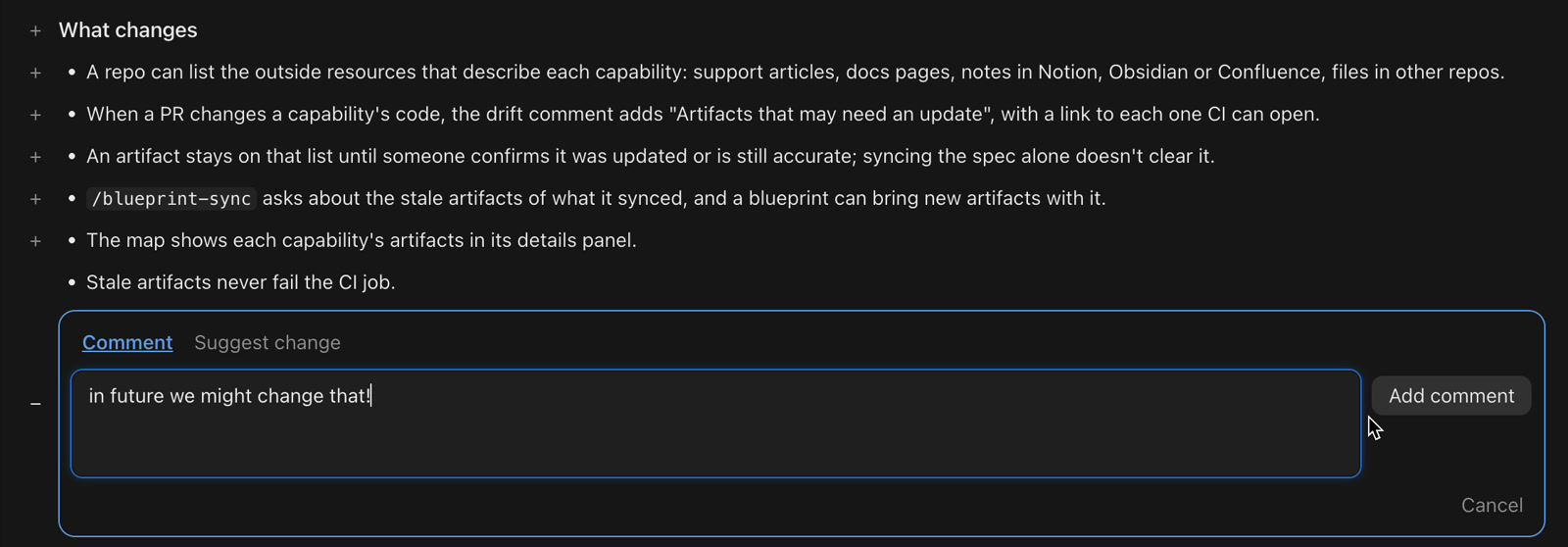
A review in the pane, with a comment on its What changes section.
The PR plan. When /blueprint apply splits a change into pull requests, the pane draws them as a tree: stacked
on each other or cut from main, specs last. Once you approve it, ▶ starts each group in its own session.
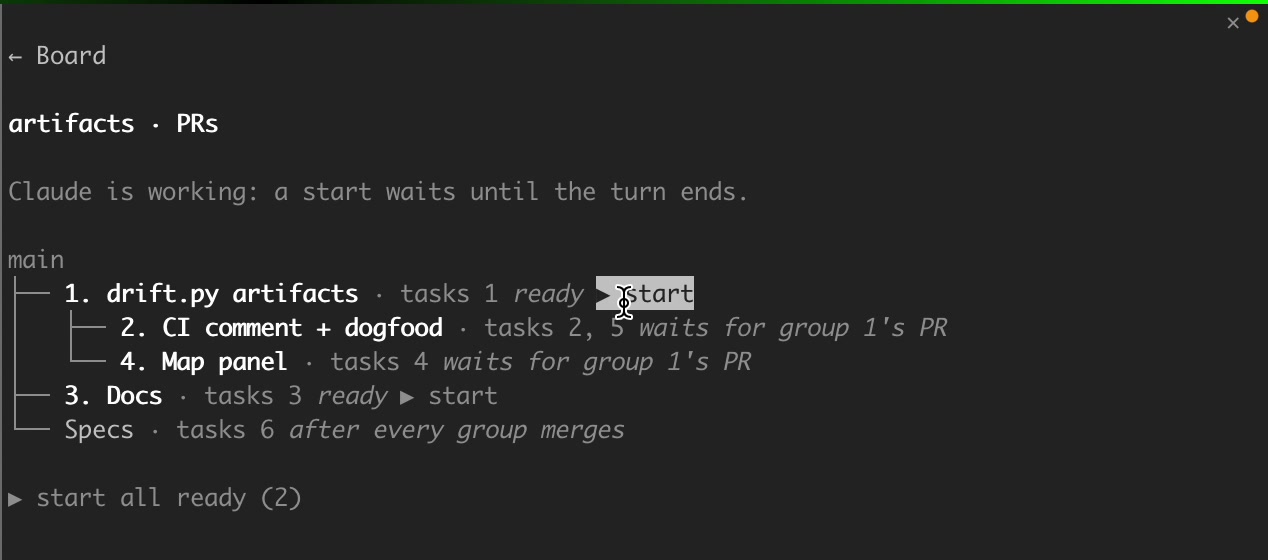
The PR plan for a change, with two groups ready to start.
The capability map (/blueprint map) isn’t part of the pane: it’s one local HTML page, drawn from the repo
alone. Capabilities sharing files are tied together, drifted ones are red, and clicking one lists its requirements,
files and the docs outside the repo that describe it. Search covers all of it.
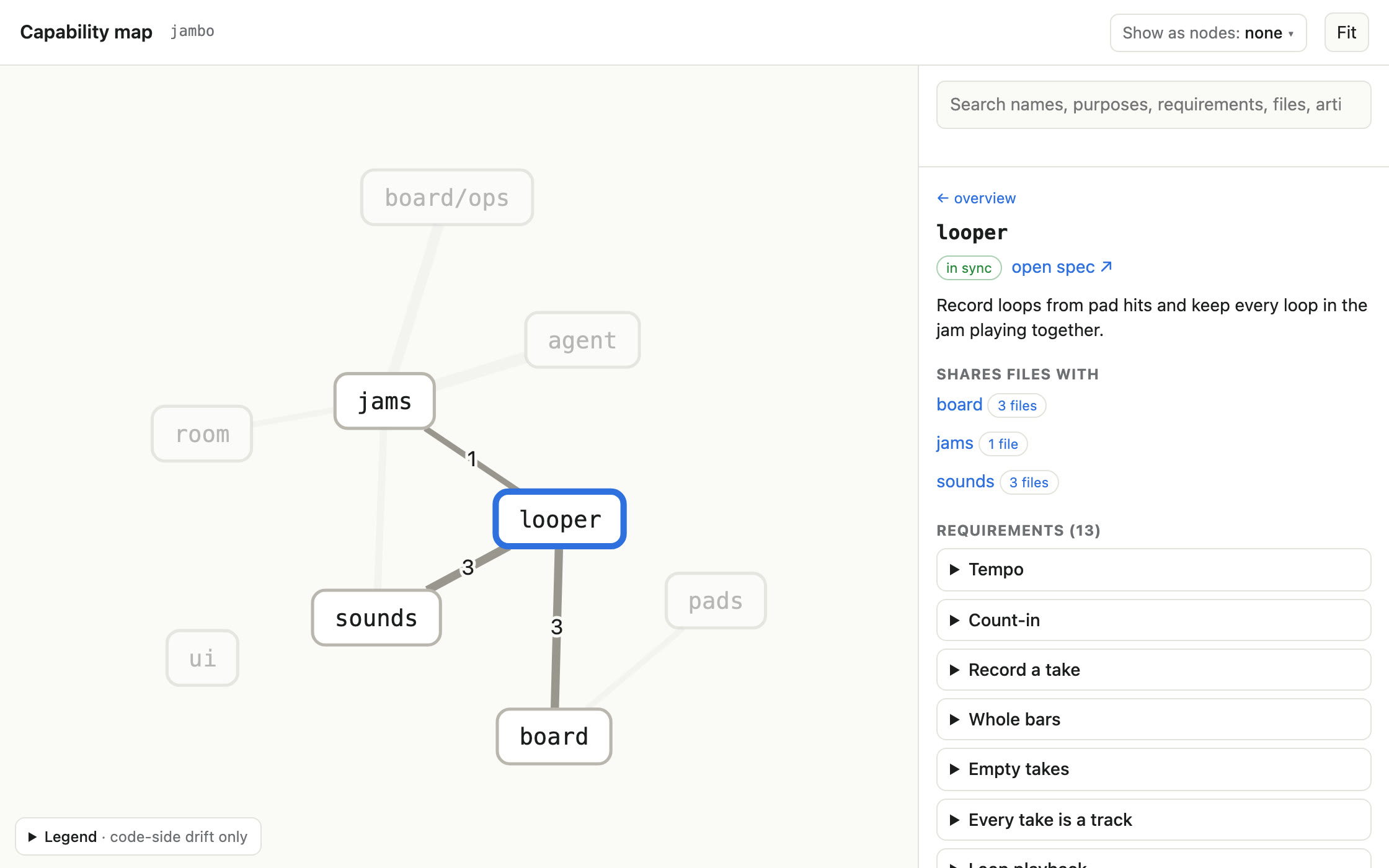
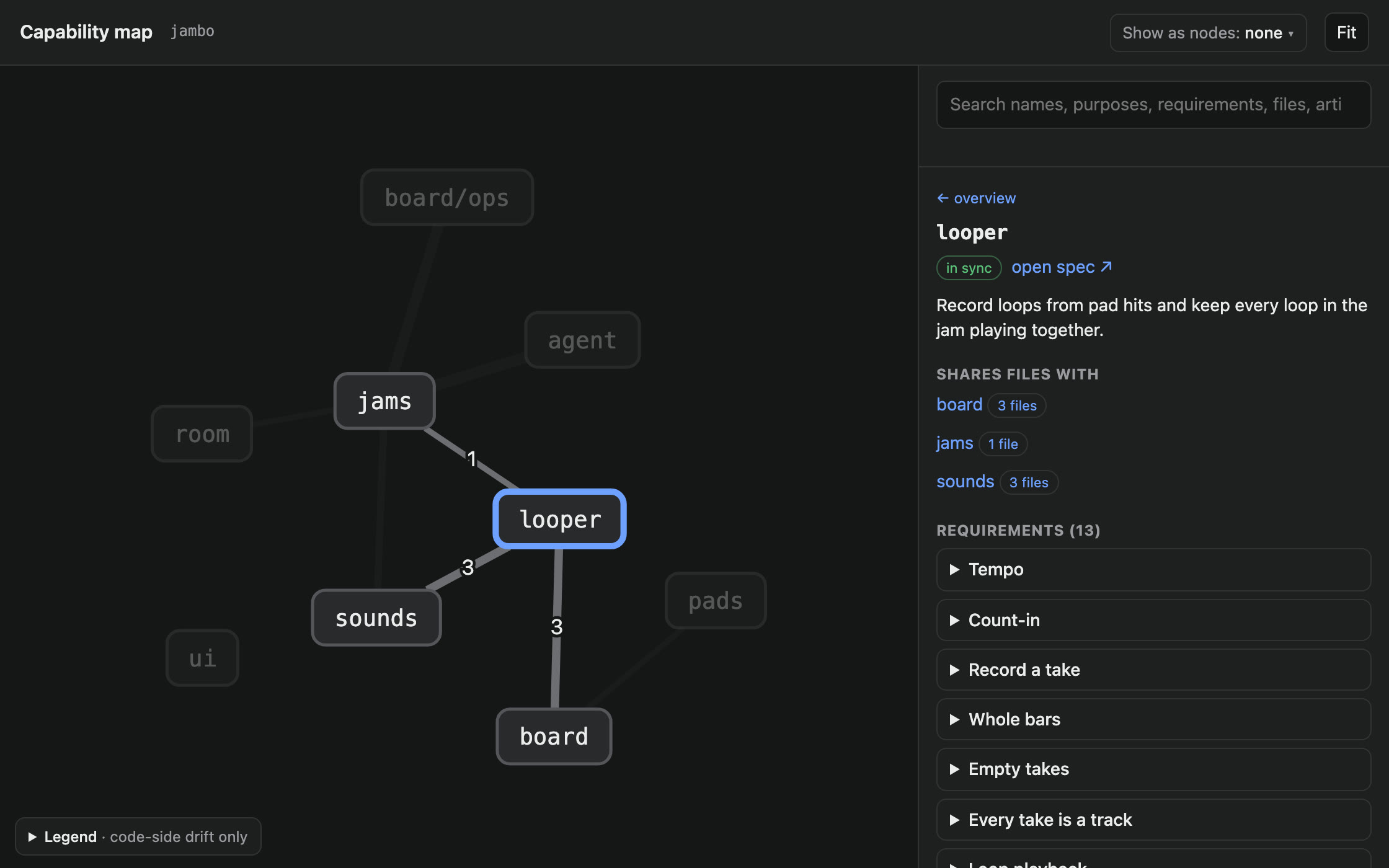
jambo’s capability map, with looper selected.
Reviews
Every review opens with a before → after diagram with the change coloured in. When a change is about how something behaves over time, the review can also include a playground: a small interactive model that runs the same scenario through the old and the new design.
Specs and blueprints can live in Notion (the default), Obsidian, Linear, Jira and Confluence, GitHub or a Markdown
folder, with tickets wherever the team keeps them. The only thing in the repo is a small .blueprint/ folder that
maps capabilities to code and lets drift.py tell from git alone which specs need another look.
See it in use
The skills repo runs blueprint on itself: its .blueprint/ folder, the drift
check on every pull request, and the specs and blueprints
it writes. jambo runs it too, on a real app with sync, audio and AI agents, with
its own specs and blueprints.
Both Notion workspaces are public and read-only.